Maven (famous)@lemmy.zip to Programmer Humor@programming.dev · edit-22 years agoMicrosoft Please Fixlemmy.zipimagemessage-square20linkfedilinkarrow-up14arrow-down11file-text
arrow-up13arrow-down1imageMicrosoft Please Fixlemmy.zipMaven (famous)@lemmy.zip to Programmer Humor@programming.dev · edit-22 years agomessage-square20linkfedilinkfile-text
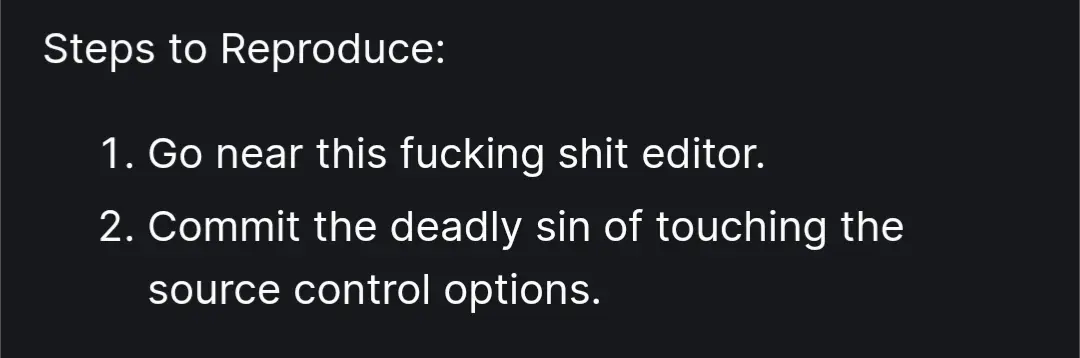
minus-squareeating3645@lemmy.worldlinkfedilinkEnglisharrow-up0·2 years ago Steps to Reproduce: 1.Go near this fucking shit editor. 2.Commit the deadly sin of touching the source control options. 🤣
minus-squarejmcs@discuss.tchncs.decakelinkfedilinkarrow-up0·2 years ago Ignore the scary warning VS Code shows you when you press the button.
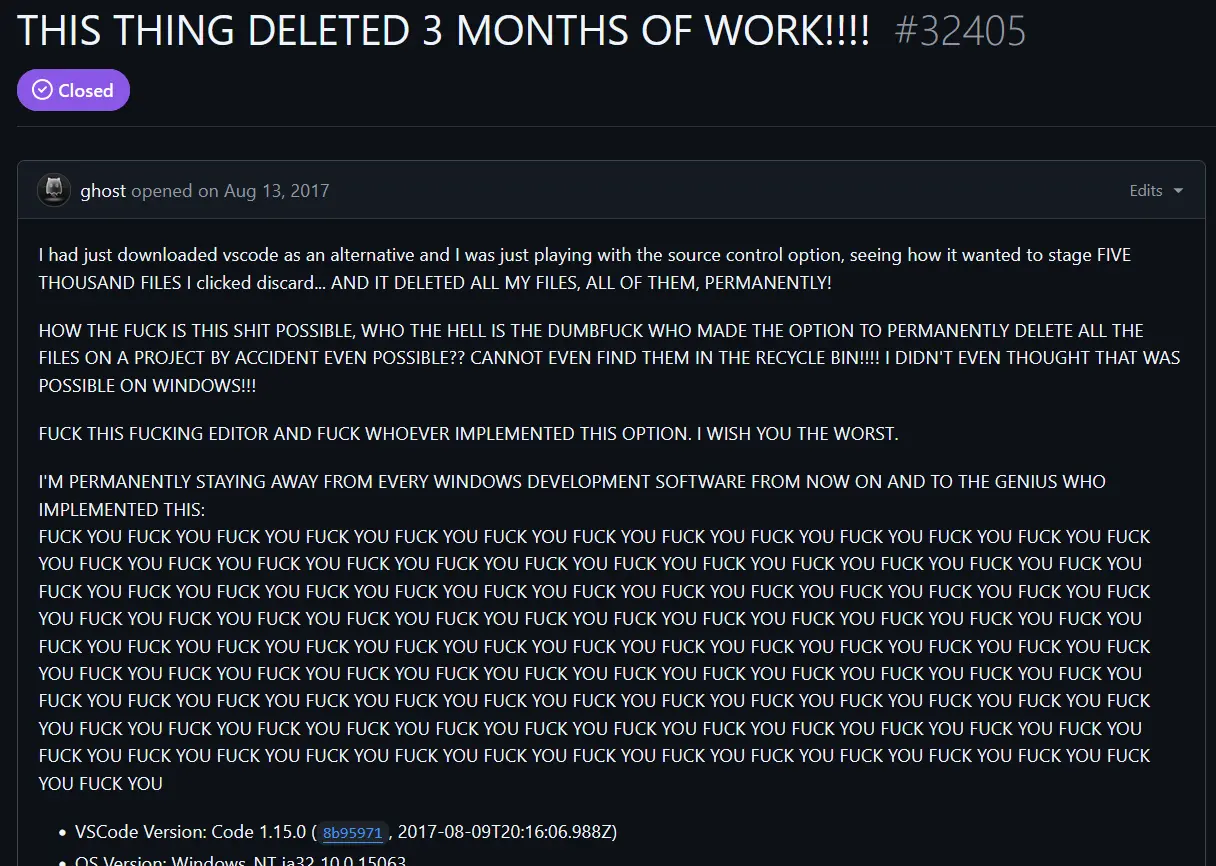
minus-squareHawke@lemmy.worldlinkfedilinkarrow-up0·2 years agoI dunno, “discard changes” is usually not the same as “delete all files”
minus-squareStarbuck@lemmy.worldlinkfedilinkarrow-up0·2 years agoWhat exactly do you think discard means?
minus-squareHawke@lemmy.worldlinkfedilinkarrow-up0·2 years ago“Changes” are not the same thing as “files”. I’d expect that files that are not in version control would not be touched.
minus-squareEleventhHour@lemmy.worldlinkfedilinkEnglisharrow-up0·edit-22 years agoApparently, it means changes to the directory structure and what files are in them, not changes within the files themselves. It really ought to be more clear about this.
minus-squareMajorHavoc@programming.devlinkfedilinkarrow-up1·edit-22 years agoYeah. They did substantially modify the message to make it much clearer, thankfully.

🤣
I dunno, “discard changes” is usually not the same as “delete all files”
What exactly do you think discard means?
“Changes” are not the same thing as “files”.
I’d expect that files that are not in version control would not be touched.
Apparently, it means changes to the directory structure and what files are in them, not changes within the files themselves. It really ought to be more clear about this.
Yeah. They did substantially modify the message to make it much clearer, thankfully.