On my (OpenWrt) router, editing using the OpenWrt interface


On my (OpenWrt) router, editing using the OpenWrt interface


Anubis was originally created to protect git web interfaces since they have a lot of heavy-to-compute URLs that aren’t feasible to cache (revision diffs, zip downloads etc).
After that I think it got adopted by a lot of people who didn’t actually need it, they just don’t like seeing AI scrapers in their logs.
Devices like laptops, tablets and phones, usually do not have Ethernet built in, or are too mobile to make it practical to use
What I did in the living room was plug a USB-C dock with a 2.5 Gbit Ethernet adapter into the wall outlet with a 2 meter USB-C 3.x cable.
So I sit down in the living room and plug in my laptop/phone in to charge when I’m using it and they automatically get a 2.5 Gbit network connection. Even iOS natively supports the common Realtek 2.5 Gbit chipset.
In Japan they have a beacon system to track traffic congestion which works anonymously and lets offline car navigation systems have good-quality traffic info.


For what it’s worth, Synology Hybrid RAID is just a fancy GUI over linux mdraid, so the drives can be mounted on any Linux system (Synology even have instructions for how to do this on their website). You’ll be SOL mounting them with any kind of third-party NAS GUI that expects their own partition layout though.
This is why I’m still using a Synology ¯\(ツ)/¯
I can install all the fun stuff I want in Docker, but for the core OS services, it’s outsourced to Synology to maintain for me


I guess technically, yes

APFS still supports resource forks just fine - I can unstuff a 1990’s Mac application in Sequoia on a Apple Silicon Mac, copy it to my Synology NAS over SMB, and then access that NAS from a MacOS 9 Mac using AFP and it launches just fine.
The Finder just doesn’t use most of it so that it gets preserved in file copies and zip files and such.


All my stuff is running on a 6-year-old Synology D918+ that has a Celeron J3455 (4-core 1.5 GHz) but upgraded to 16 GB RAM.
Funny enough my router is far more powerful, it’s a Core i3-8100T, but I was picking out of the ThinkCentre Tiny options and was paranoid about the performance needed on a 10 Gbit internet connection


Same here in a Synology DS918+. It seems like the official Intel support numbers can be a bit pessimistic (maybe the higher density sticks/chips just didn’t exist back when the chip was certified?)


Most 720p TVs (“HD Ready”) used to be that resolution since they re-used production lines from 1024x768 displays


It would be to replace my 4-bay Synology DS918 NAS with something with more drive bays and 10 Gbit connectivity
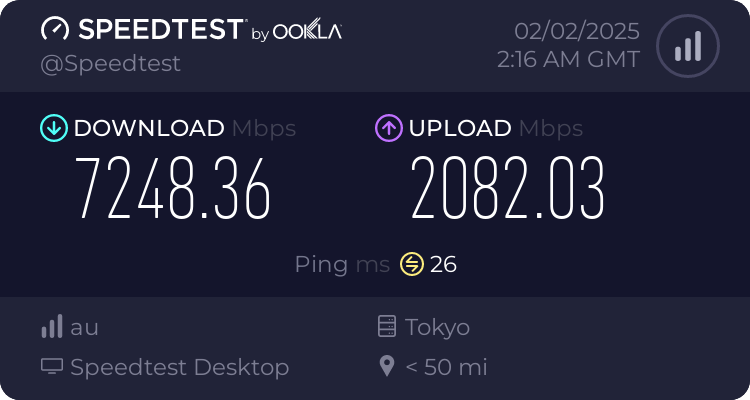
I recently got upgraded to 10 Gbit fiber at home so I’ve been through researching this stuff.
With a 3G WAN, I’d go with a 2.5 Gbit LAN - 2.5G equipment is quite affordable now. The next step is 5G but that equipment is rare, and 10G starts getting expensive.
Do you know what router they’re giving you? What LAN ports does it have? Does it even have a 2.5 or 10G LAN port or only 1G ports?
USB 2.5G adapters are available new for cheap and I’ve had good luck with them, even using one on a Synology NAS with an open source driver.
The wiring is probably fine as long as you don’t have any very long runs. I’d keep it and only replace it if the links randomly drop down in speed to 1G.
2.5G switches also aren’t too expensive. You can get one with only a few ports for the devices that can make use a lot of bandwidth (PC/NAS/Server) and plug your current switch into it for all the 1G devices like TVs, game consoles etc. The PiHole definitely doesn’t need a fast connection.
13 running on my little Synology.
Actually more than I expected, I would have guesses closer to 8